
Below is our Nominations page from our Demo site, yours will look the exact same, once nominations start appearing.
Note: pre-seeding can be handled before the competition start for any business or person you wish, depending on how you want to handle your competition.
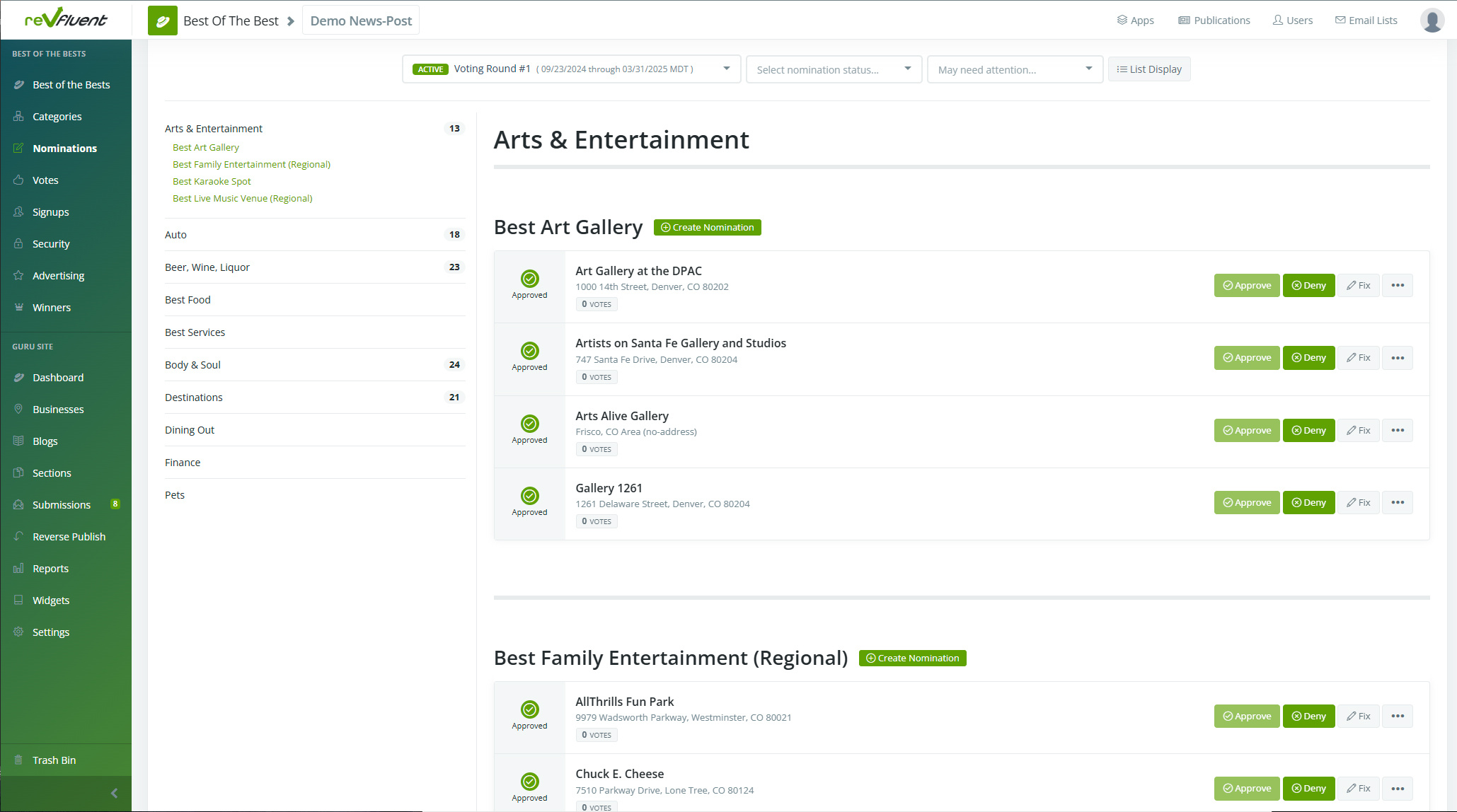
Along the left you'll note the individual Groups that can then be expanded to show nominations by Category. Here you will see the individual Nominations, along with any related information, as well as the ability to Approve or Deny them.
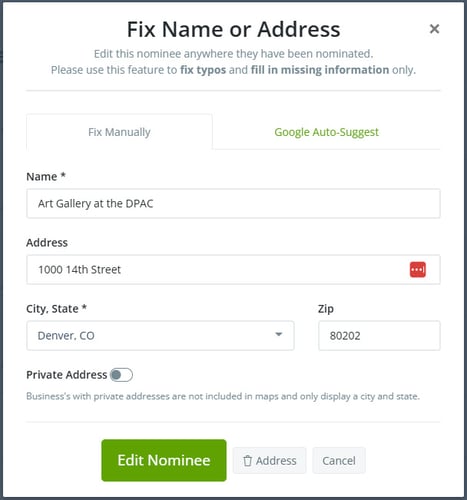
If you notice an error with the nomination, you can click on the Fix function which gives you the below window, allowing you to make necessary corrections. Furthermore, we offer Google Auto-Suggest to provide some Google powered assistance.
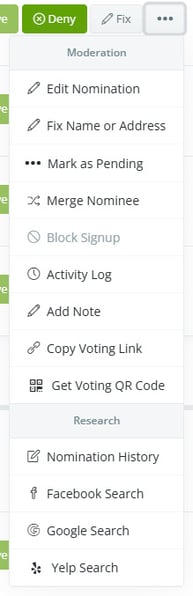 We've provided extensive tools to make changes to your Nominations, beyond simply fixing a typo or address.
For example, if a Nomination has accidentally been entered into two location, you can Merge Nominees.
Or if you're questioning the validity, you can mark an entry as Pending and use our built in search functions to verify. This includes the Nomination History, as well as Facebook, Google and Yelp search functionality.
One item we want to point out is the Voting QR Code, an automated feature that all nominations receive. This is scannable by potential voters to send them directly to the nomination.
--------------------------------------------------------
With Nominations out of the way, we move onto Voting.
If this wasn't helpful, click this link to submit a support ticket.